Help & FAQs
Guides for each role on Find Me a Ref. Jump to the section that matches your account:
For referees
Set your radius and availability once, then accept the fixtures that fit. Here's what your dashboard looks like:
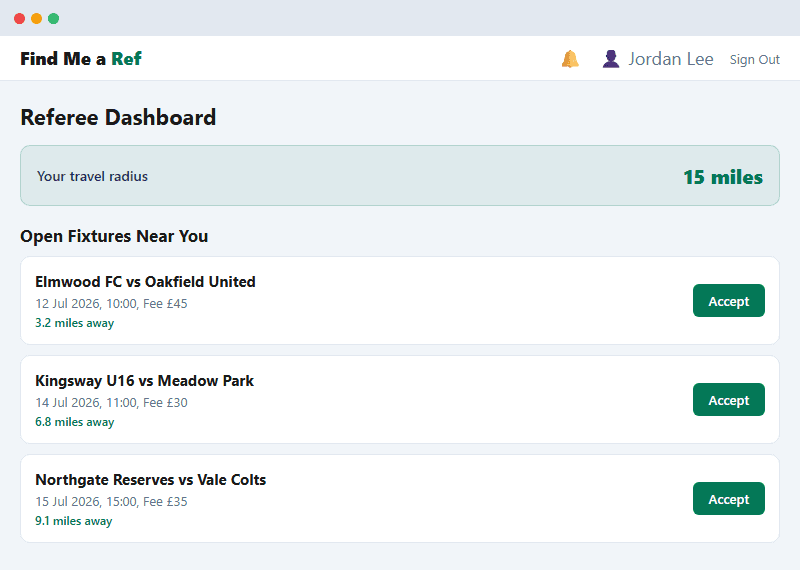
Illustrative example, not a live screenshot.
How do I get matched to fixtures?+
Set your base location and travel radius on your profile. Fixtures within that radius appear on your dashboard, and Associations can also auto-assign you directly to a nearby open fixture.
How far will I have to travel?+
However far you set your travel radius to. You're always in control of this from your profile page.
When do I get paid?+
Once a fixture is marked Completed, the club settles the fee (referee fee plus any travel expenses) through the platform. You always receive your fee and travel in full; the platform fee is paid by the club on top, not deducted from you.
I'm under 18. Can I still referee?+
Yes, from age 14, with a parent or guardian's consent given at sign-up. See our Safeguarding page for how this works, including how fees are settled for junior referees.
How do I mark myself unavailable?+
Add recurring weekly unavailability (e.g. every Sunday morning) or one-off dates from your dashboard, so you're never matched to a fixture you can't do.
Can I change my mind after accepting a fixture?+
Yes. Withdraw from an accepted fixture from your dashboard and it reopens for other referees to accept.
What does 'verified' mean next to my name?+
Your Association reviews your grading, registration or credential information and marks your account verified. Some fixtures may require a verified referee.
For clubs
See who's officiating your fixtures and settle fees without the paperwork:
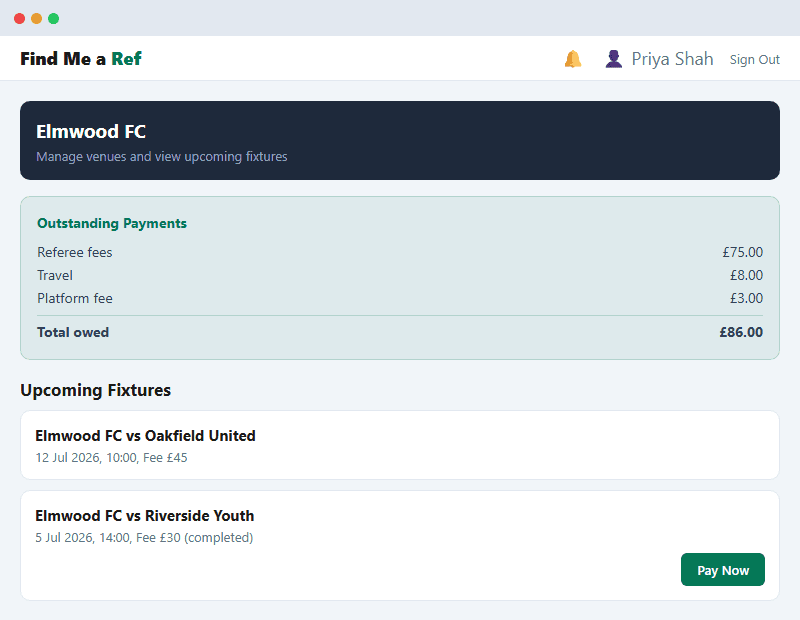
Illustrative example, not a live screenshot.
How do fixtures get created?+
Your Association posts and allocates fixtures for your teams. You don't need to create them yourself, they simply appear on your dashboard once posted.
Who do I pay, and how much?+
You pay the referee fee plus a small transaction fee once a fixture is completed, direct through the platform. There's no cost to manage fixtures or sign up, only a fee when one is settled.
Can I see who's officiating before the game?+
Yes. As soon as a referee is allocated to your fixture, their name shows on your dashboard.
What if the venue changes?+
Update the venue on the fixture from your dashboard. The assigned referee is notified automatically.
Can I manage more than one team?+
Yes. Your club account can be linked to multiple teams (e.g. First Team, U18s), all managed from the same dashboard.
My club isn't part of a league. Can I still post fixtures?+
Yes. Sign up for a League Administrator account for your own club, even if it's just for your own fixtures, and you get full fixture posting and referee allocation, run entirely for your own club. See the "not part of a league" section for details.
For Associations
Post fixtures, control referee allocation and keep an eye on the whole league from one dashboard:
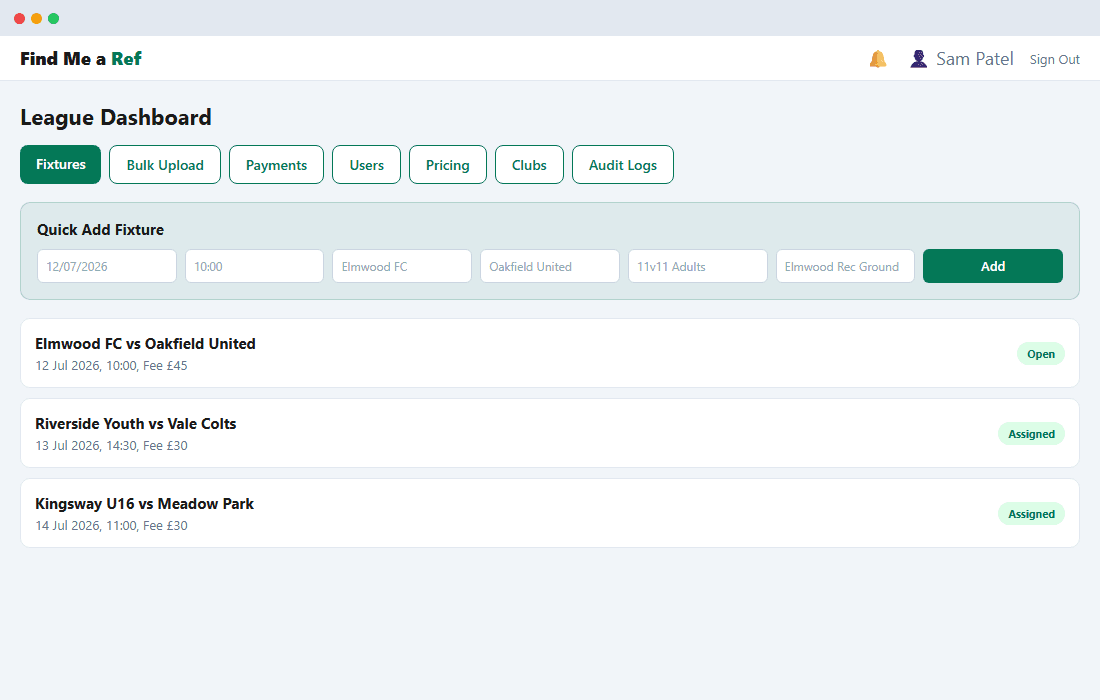
Illustrative example, not a live screenshot.
What plans are available?+
Starter is free, with up to 20 fixtures a month, 1 admin seat and manual referee assignment. Pro (£59/month) adds unlimited fixtures, CSV bulk import and automatic referee allocation. Plus (£149/month) adds up to 5 admin seats. Enterprise is a custom plan for national governing bodies, contact us. Clubs and referees are always free on every plan. See the Billing tab on your dashboard, or the pricing section on the homepage.
How do I post fixtures?+
Use Quick Add for a single fixture on any plan. Bulk Upload, to import a season's worth from a CSV (dates as DD/MM/YYYY), requires a Pro plan or higher.
How does auto-assignment work?+
On a Pro plan or higher, the closest available referee within range, with no scheduling conflict, is automatically offered a new fixture. On Starter, you assign referees manually from the fixture list.
How do I verify a referee or co-administrator?+
From the Users tab, toggle a verification status once you've checked their credentials. This works for referees and for your own Association's other co-administrators. Available on every plan.
How do I manage clubs?+
The Clubs tab lists every club and team on the platform, lets you approve new clubs, and shows their linked teams and venue.
For super admins
The Super Admin Dashboard manages every user's role across the platform.
How do I change someone's role?+
From the Super Admin Dashboard, use the role buttons next to a user. You'll be asked to confirm before it applies, since a role change affects what that user can access.
What does granting Super Admin do?+
It gives full platform access, including the ability to change anyone else's role. Only an existing super admin can grant or remove super admin access, to stop it being granted accidentally or by a lower-privilege account.
What's the 'Backfill fixture club IDs' button for?+
A one-off migration that resolves the owning club for fixtures created before the platform tracked which club owes each fixture's fee. It's safe to run more than once.
Can't find what you need? Contact us.